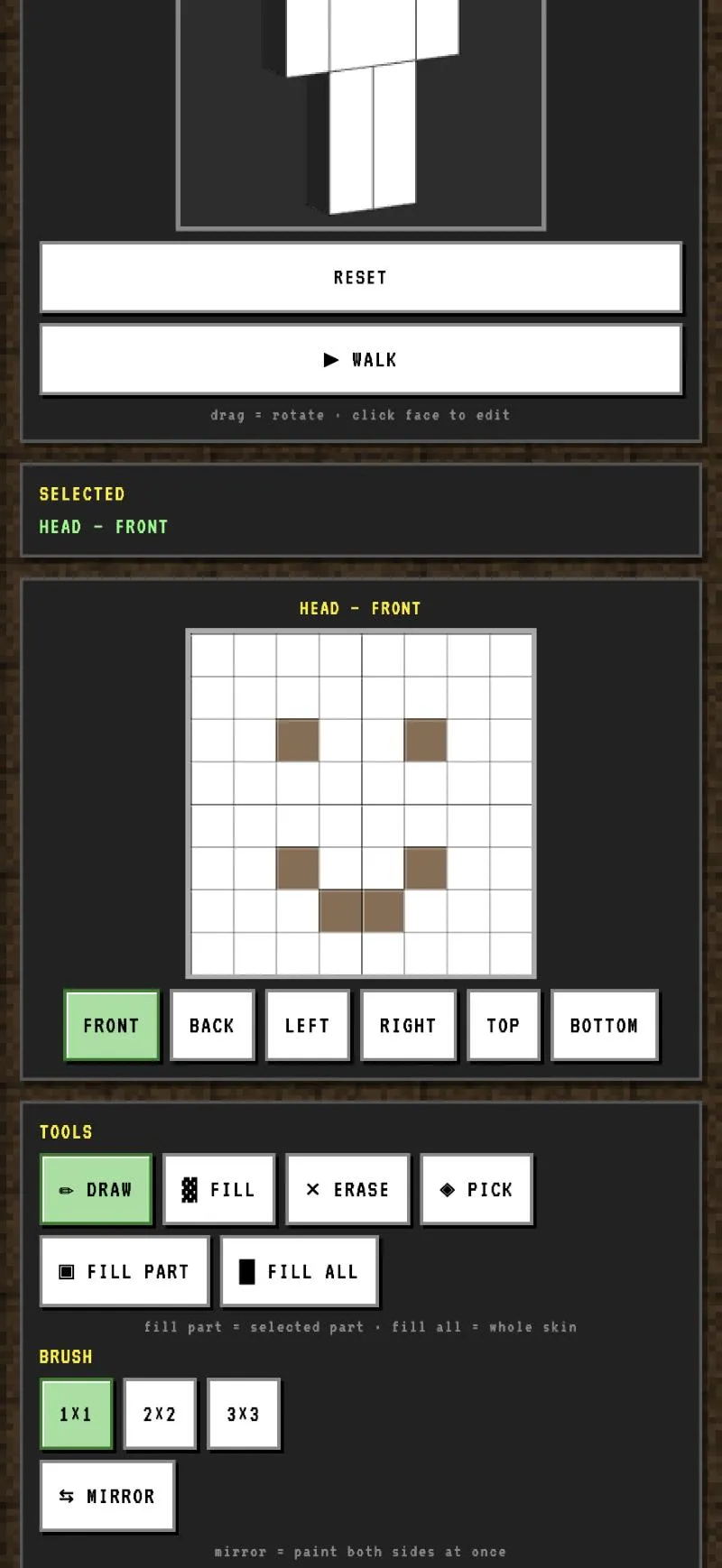
Tap a face
Drag the model to turn it, tap the face you want, and that square opens as a grid. Front, back, left, right, top, bottom — for every part.
Pixel Skin Studio
A pixel skin editor that fits on a phone. Tap any face of the character to paint it, and watch the change land on the model while you work.
App StoreComing Google PlayComing
Coming to iOS and Android
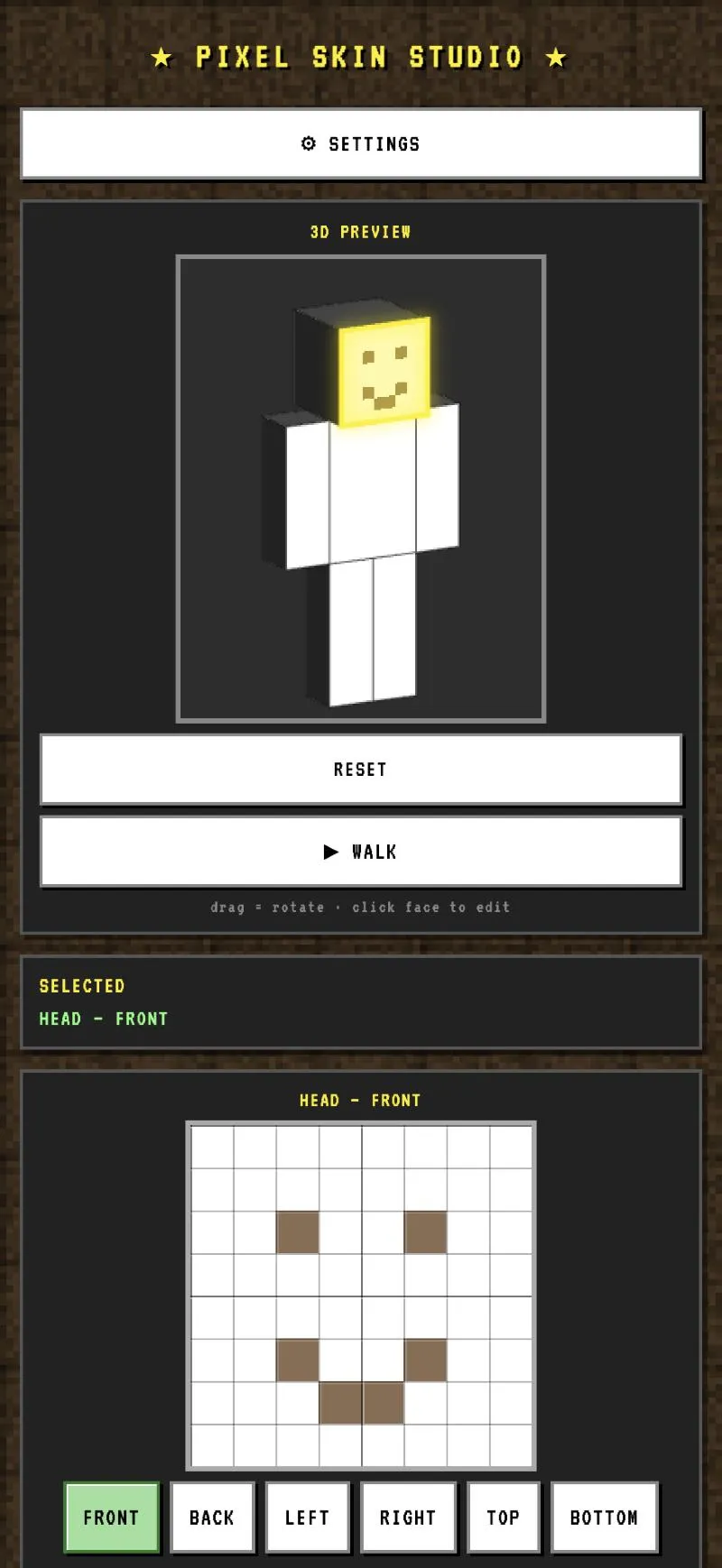
Drag the model to turn it, tap the face you want, and that square opens as a grid. Front, back, left, right, top, bottom — for every part.
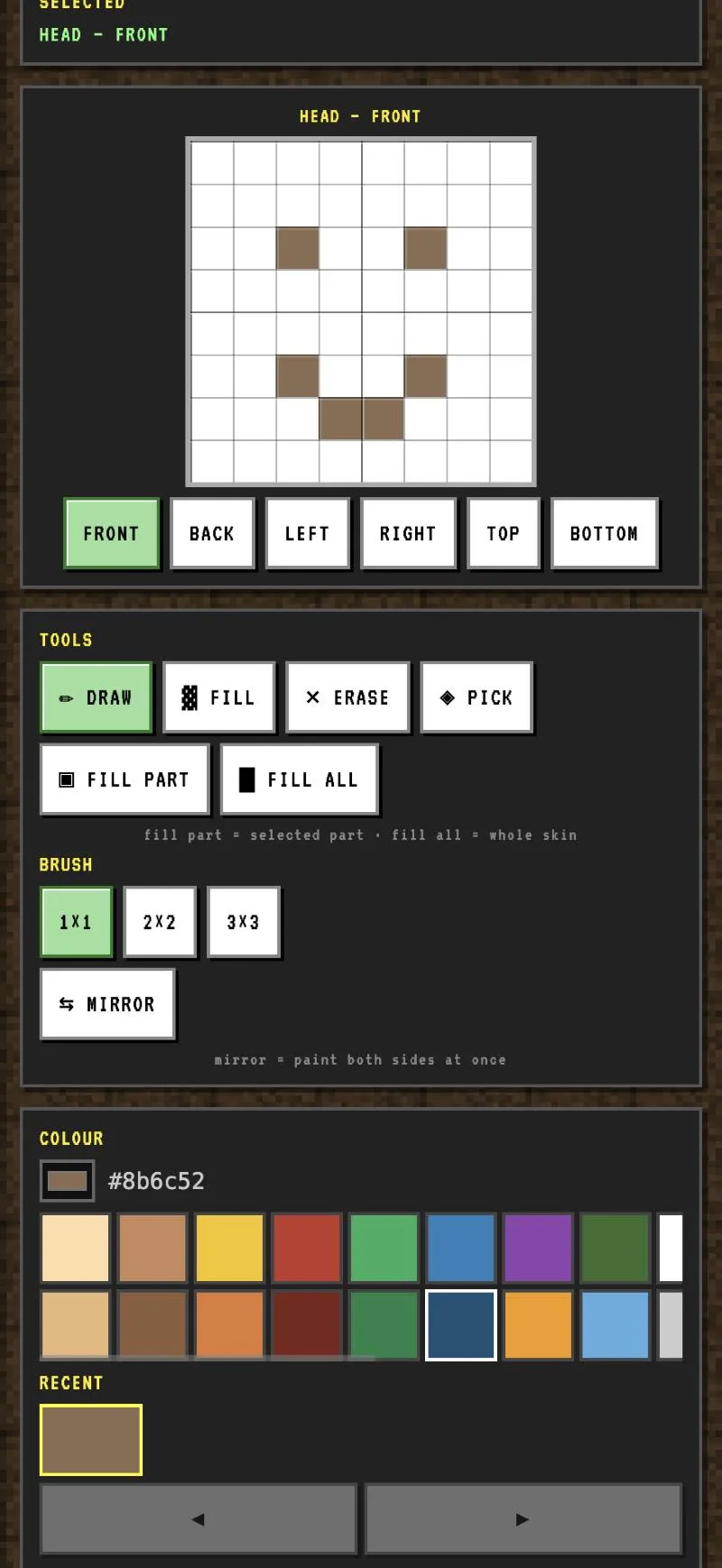
Draw, fill, erase, or pick a colour already on the skin. Brush sizes of one, four or nine pixels, and a palette that remembers what you just used.
The preview updates as you paint. Press walk to see the skin animated before you ever export it.
Mirror
A character has two arms and two legs, and nobody wants to paint each twice.
Turn mirror on and every pixel you place lands on the opposite side at the same time. Turn it off when you want them to differ.
Undo
Every change is kept, so you can walk backwards through what you did and forwards again. Nothing is lost because you tried something.
Pixel Skin Studio is free. It makes no network requests, has no account, and collects nothing — see the privacy policy below.